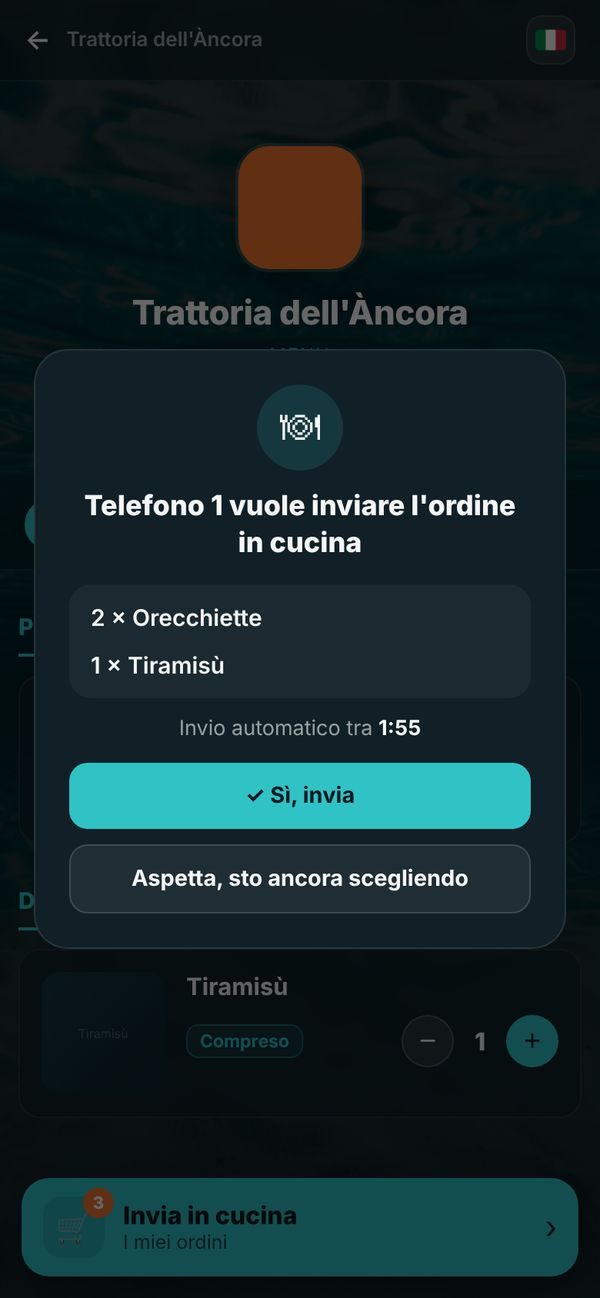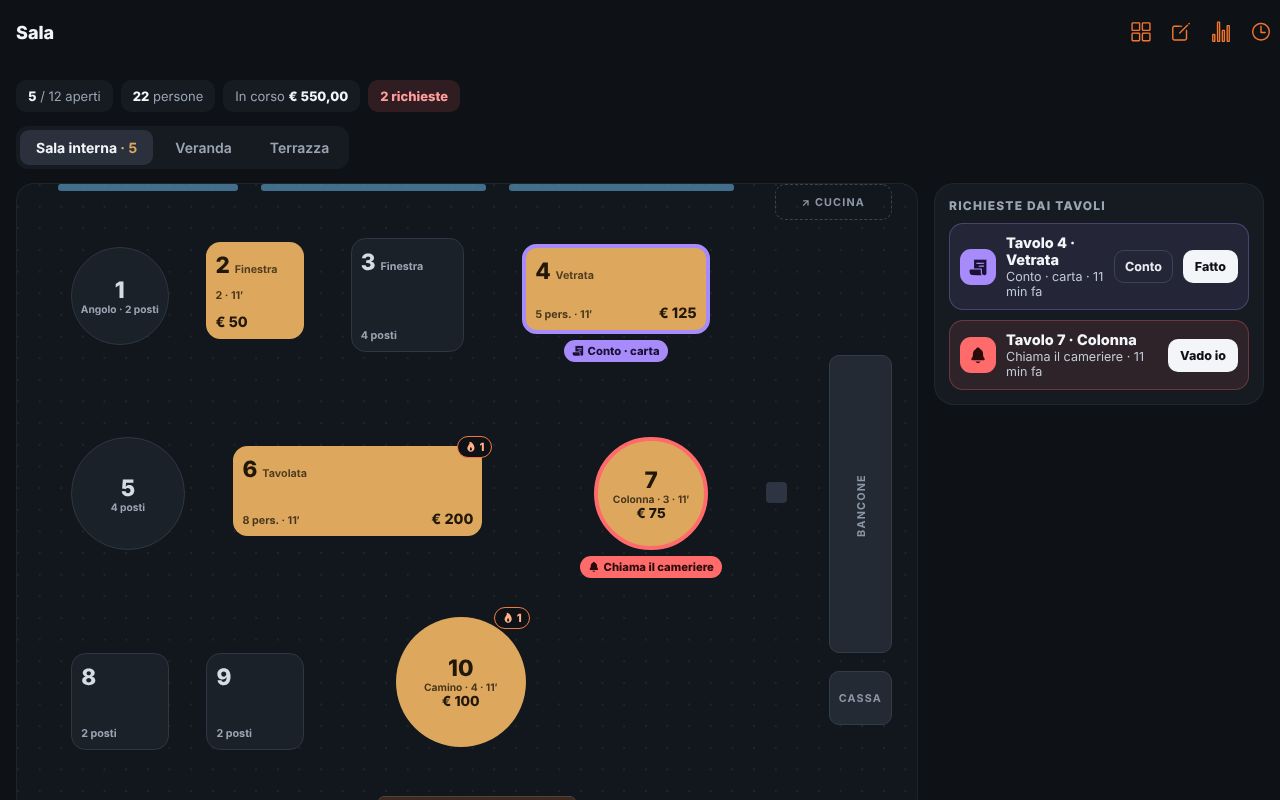
Guests scan the QR code and order from their phone, the kitchen gets the ticket in real time, the floor staff see tables, requests and bills. On tablet, phone or computer: no handhelds, no hardware to buy.
Start plan free forever · no credit card · ready in a minute
Create your restaurant and import the menu with a photo.
Tables and areas, then print the QR codes for the tables.
Guests order, the kitchen cooks, you close the bill.
No illegible tickets or forgotten dishes: every order arrives clearly, by table, with the guest’s notes.
Plan with tables and areas: who’s seated, for how long, what they ordered, who’s calling.
Guests ask with one tap, you get the request on your phone.
If a guest prefers not to use their phone, the waiter orders from theirs, with dish photos.
Tickets by table, with a colour that warns when the wait gets long.
Price per person, included dishes, limits per round and wait between rounds.
Separate access for floor and kitchen, statistics and bill history.
Yes: with Menuvola, table ordering, kitchen tickets, floor and bills are included in the free Start plan, forever and with no credit card.
No: floor and kitchen run on tablets, phones and computers in the browser, or with the Menuvola app. Kitchen printers are coming soon.
When the table is opened the waiter gives a 4-digit PIN: only those who enter it can order, one phone per person at most.
Yes: set the price per person, included dishes, how many dishes per round and how long to wait between rounds.
The menu opens in the phone’s language: Italian, English, French, German or Chinese. In the kitchen, dishes appear with the names you wrote.
Sign up free, draw your floor plan and print the QR codes: your first table orders from the phone.
Start plan free forever · no credit card · ready in a minute