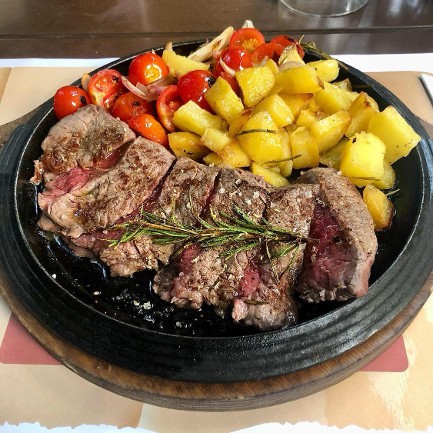
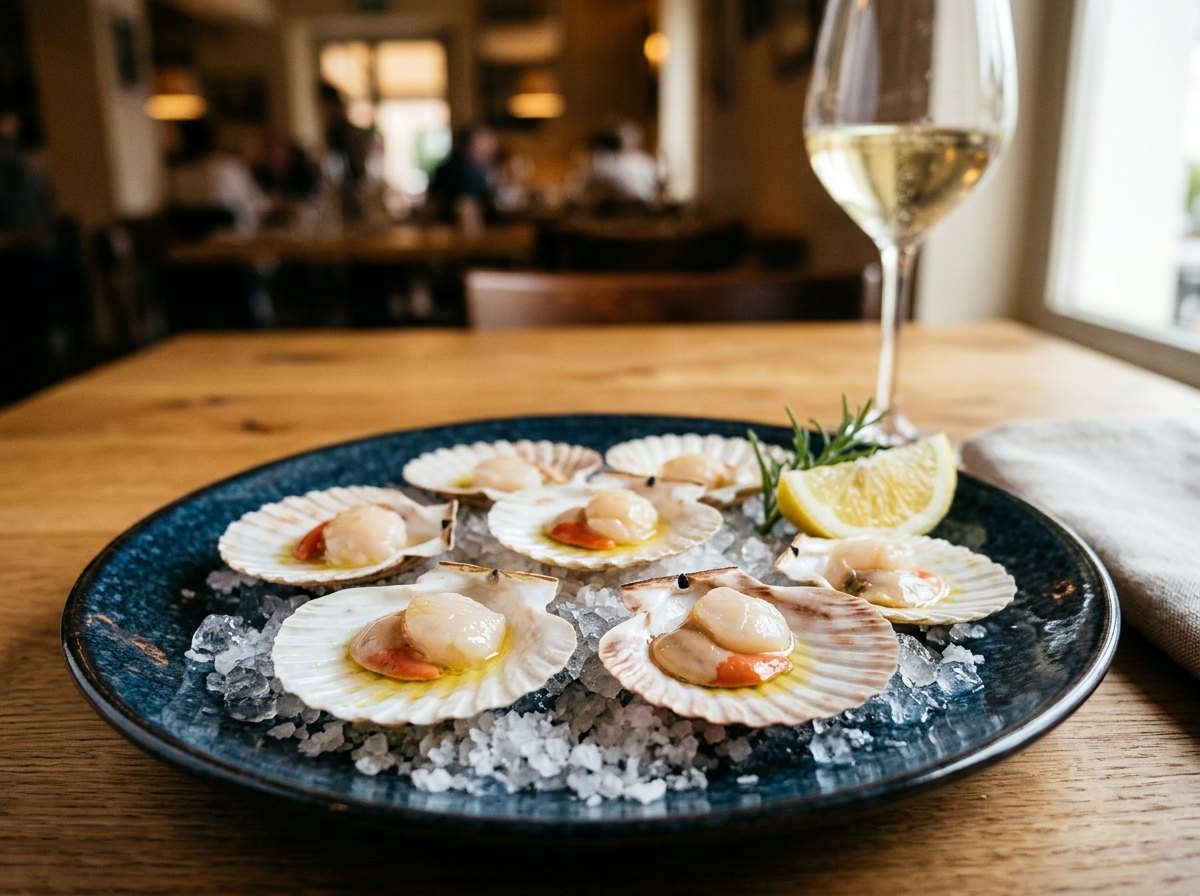
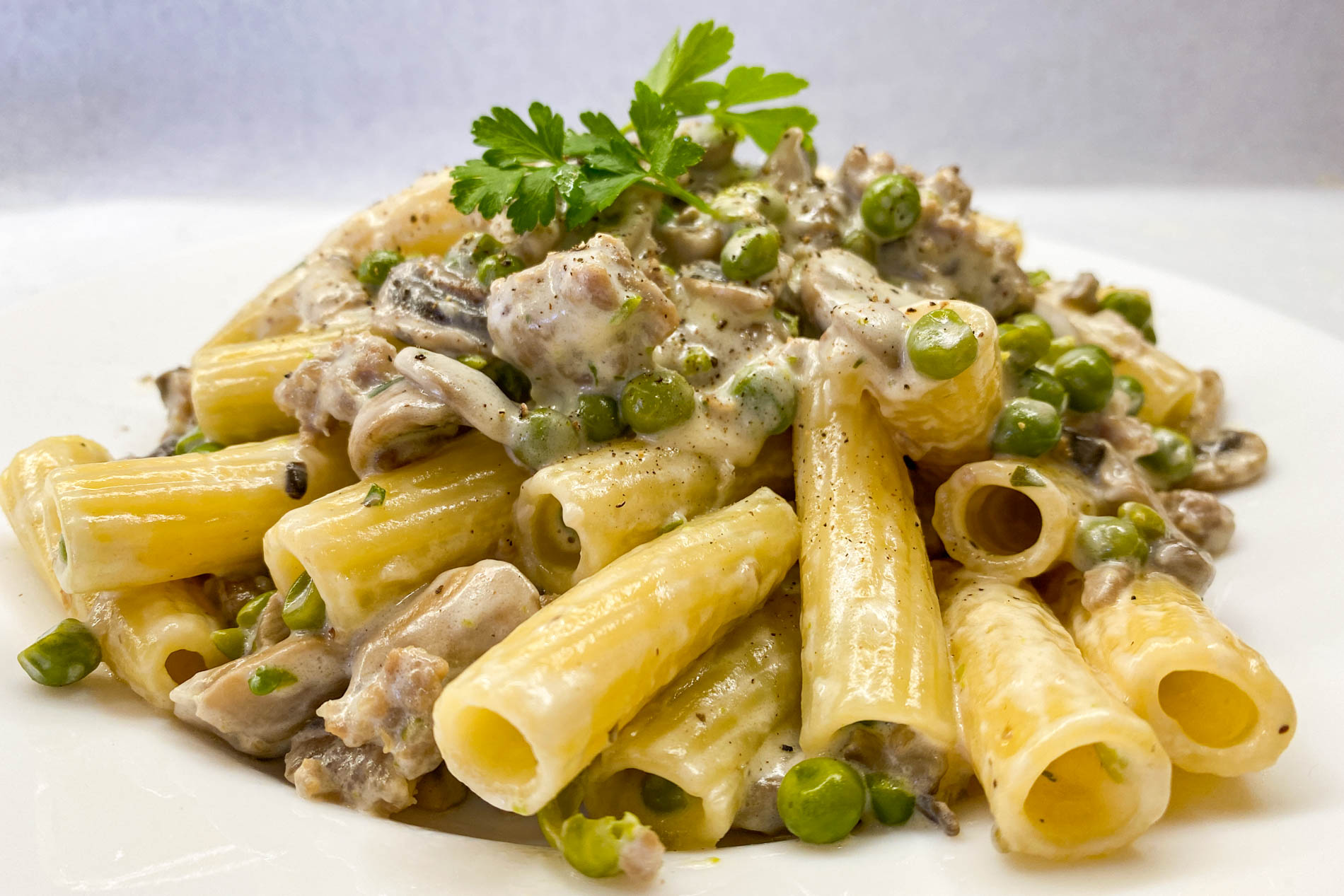
NEW Your menu in your own style, designed by AI

From paper menu to 3D menu. In one afternoon.

The QR code digital menu that builds itself: snap your menu and AI imports dishes, prices and allergens, creates the missing photos and turns your dishes into 3D models. Give it your own style with one tap. Guests order from their phone; floor and kitchen get everything in real time.

Free with the Start plan No credit card required Menu in 5 languages
1 min

to import one page of your paper menu

5

languages: Italian, English, French, German, Chinese

3D

created by AI from photos taken with your phone

0

apps for your guests to install: the QR code is enough

How it works

Four steps. AI does the boring work.

No more copying dishes one by one. You check and decide, Menuvola does the rest.

01Import

Snap your paper menu. Done.

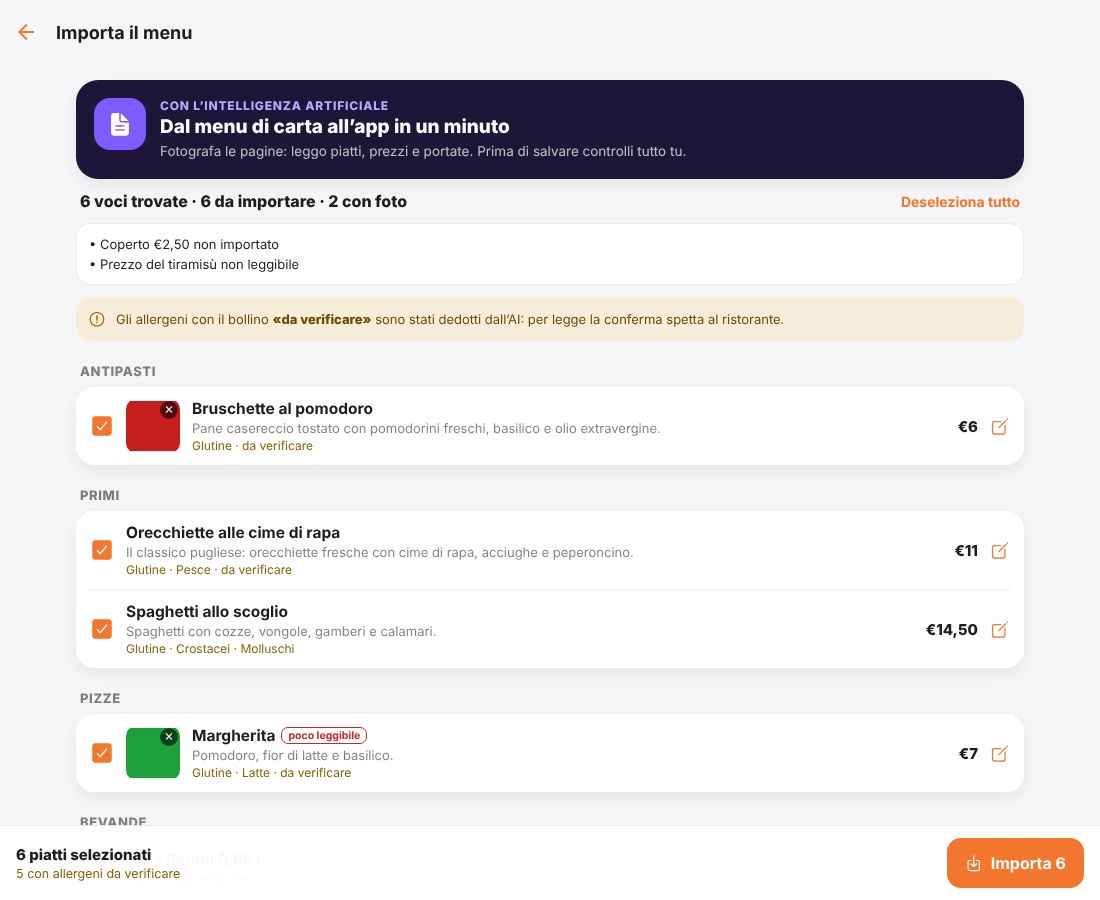
Take a photo of each page, even from a tablet. Artificial intelligence reads everything and organises it by course.

  • Dishes, prices, descriptions and ingredients, split into starters, pasta, pizza, desserts…
  • Allergens suggested for every dish, confirmed with one tap
  • If your menu has dish photos, they are cropped and imported
  • Before saving you check and correct everything; dishes you already have are flagged
⏱ About one minute per page
Menuvola · Import menu
Review of the dishes read from the paper menu, with prices and allergens
02Photos

No photos? AI takes care of it.

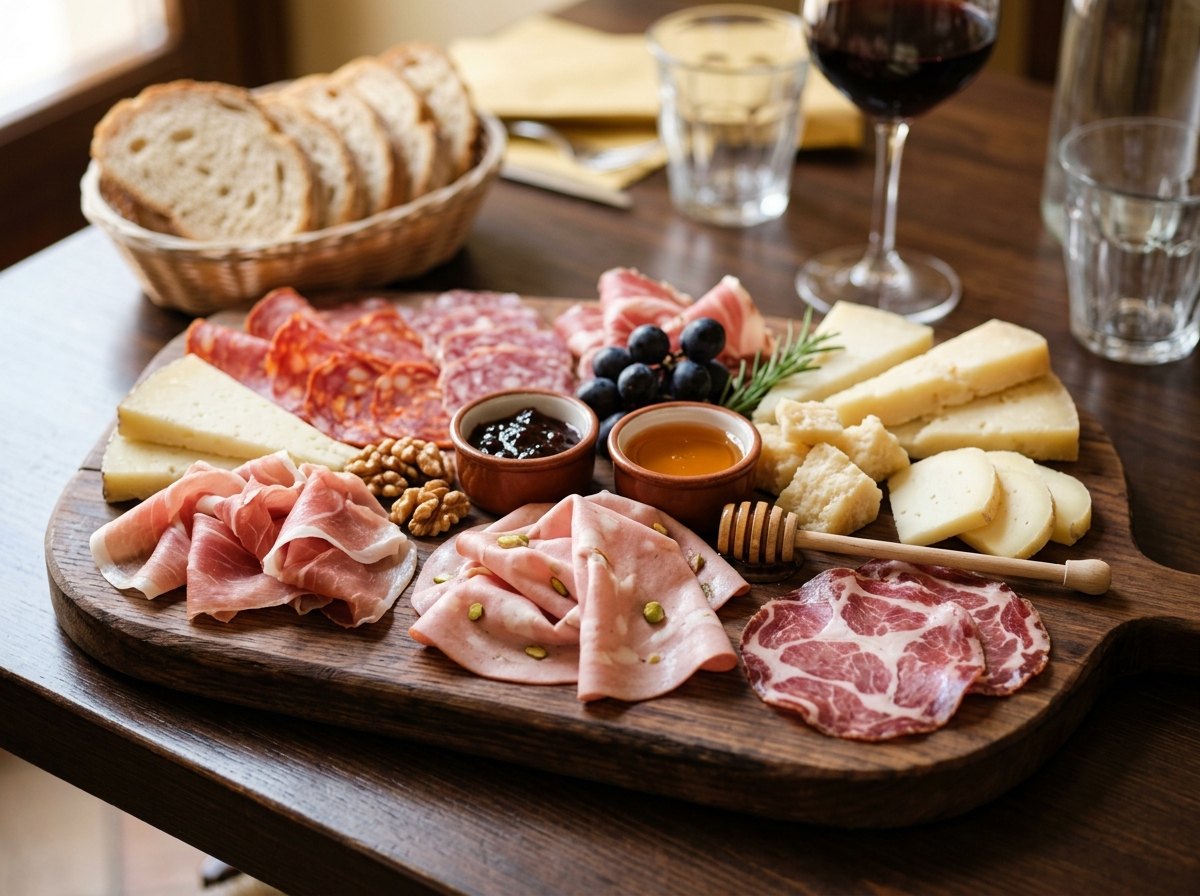
For dishes without a picture, Menuvola creates a realistic photo from the name, description and ingredients. Select as many as you like and they are created one after another.

  • Professional photography look, consistent across the whole menu
  • Guests see the label “Illustrative photo”: transparency first
  • When you upload the real photo, it replaces the AI one
  • Don't like it? Redo it with one tap
033D

The 3D model is made by AI.

No photo studio, no scanner. Take up to 4 photos of the real dish (front, side, top, back), choose its size and press “Generate”.

  • In a few minutes you get a realistic 3D model, at real size
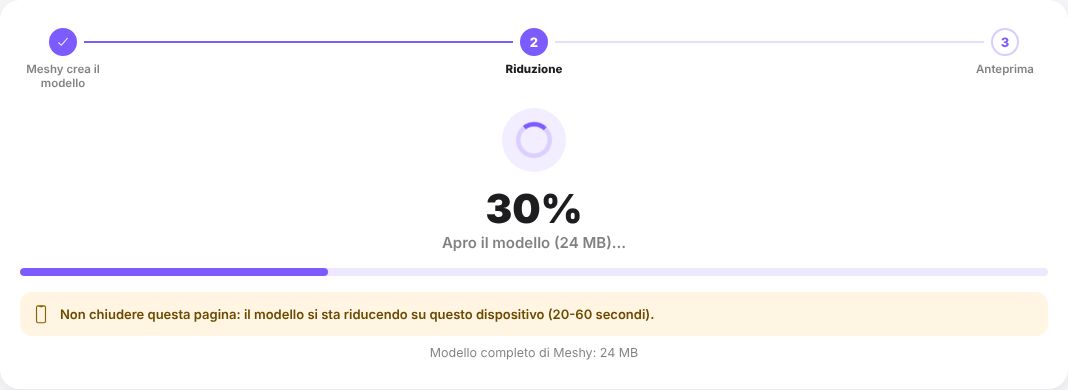
  • It is optimised automatically to open fast even on 4G
  • You preview it and decide: use it, regenerate it or discard it
  • Guests rotate it, zoom in and see it on their table in augmented reality, no app needed
📱 Works from tablet and computer
3D model creation progress: model, optimisation, preview
04At the table

A QR code on the table. And they order.

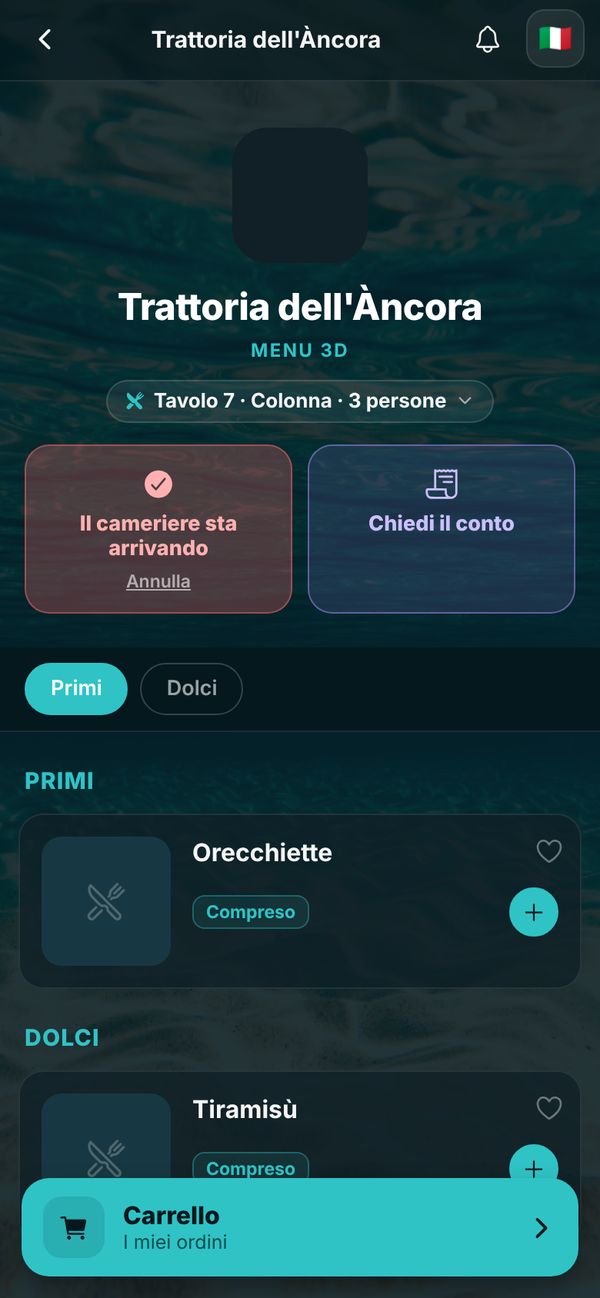
The guest scans the QR code and the menu opens in the browser, in their language. They choose, see the dish in 3D and order together with friends at the same table.

  • Menu in 5 languages, with allergens and ingredients always clear
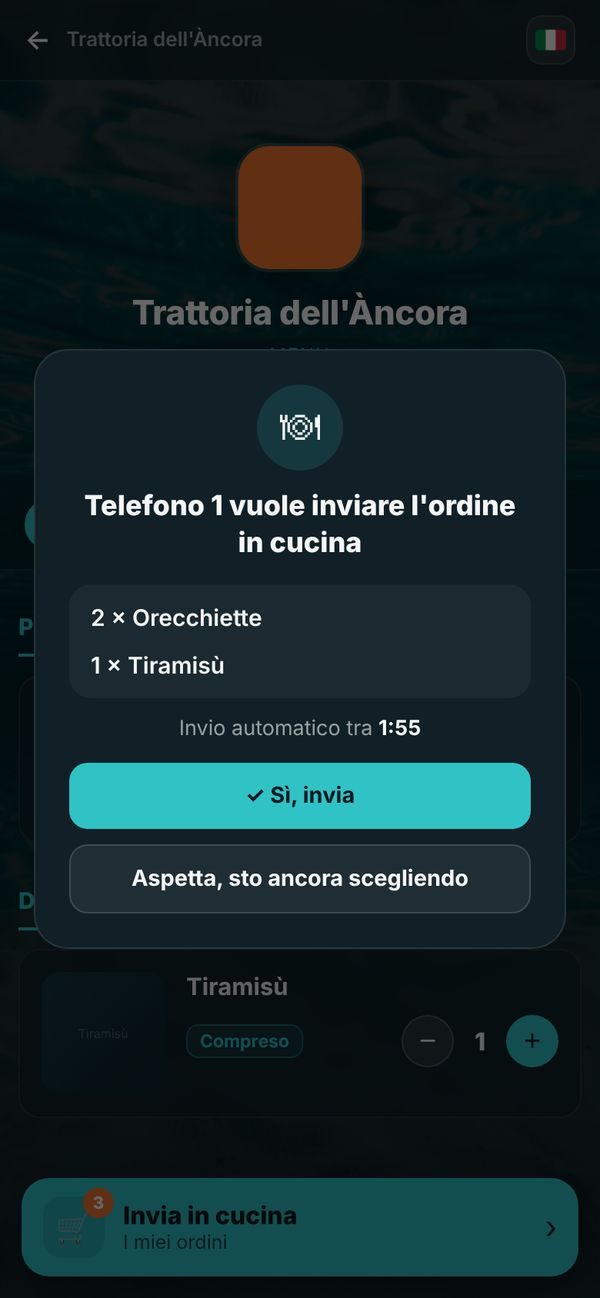
  • Shared cart: everyone adds from their own phone, then the table confirms and it goes to the kitchen
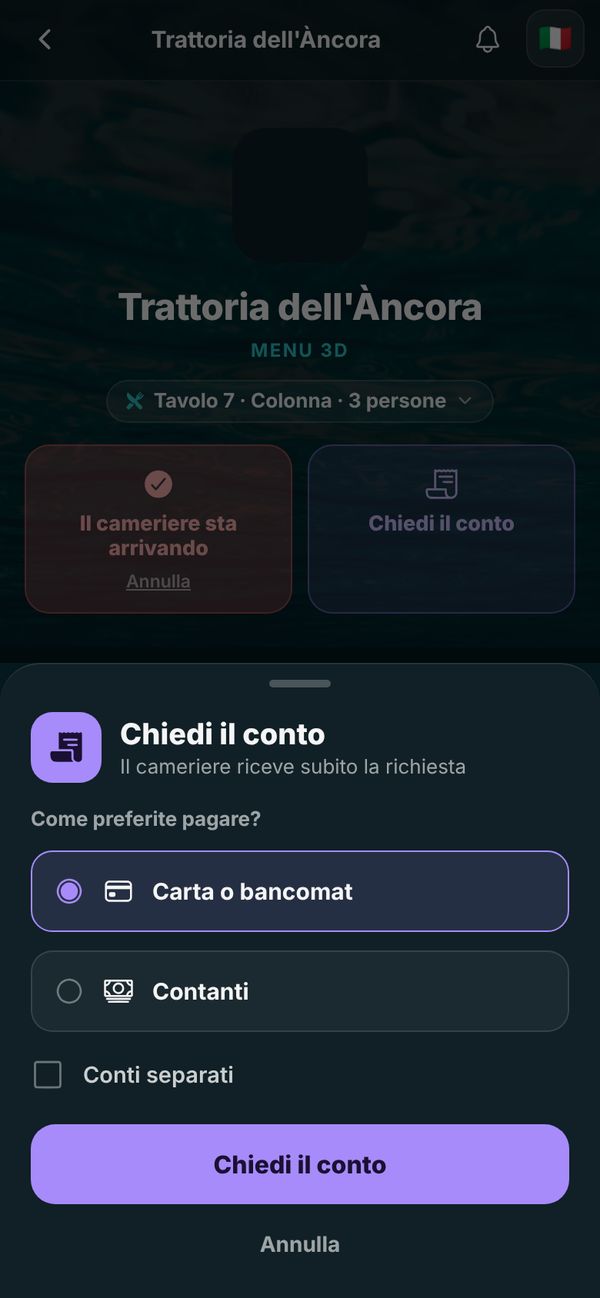
  • Call the waiter and ask for the bill (card or cash, even split)
  • Notifications to guests about news and daily specials
Your style

A menu that looks like your restaurant.

No identical templates. Colours, fonts, background and logo become your restaurant's, on the QR menu and in the app.

AI designs three proposalsDescribe your venue, add your logo and a few inspiration photos: you get three different styles ready to use.
Photo backgroundsOcean, space, savannah, desert, olive grove, vineyard, mountains… or let AI create a custom one, or upload your own photo.
8 ready-made styles, freely adjustableTrattoria, elegant, pizzeria, bistro, café, pastry shop… then change colours, fonts and shapes as you like.
Your logo, always in placeSquare or rectangular: we lay it out in its own proportions, at the top of the menu and on the table QR cards.
TrattoriaElegantPizzeriaSeasideSpace
The guest experience

Ordering becomes a pleasure.

Opens in a second from the QR code, nothing to download. Beautiful to browse, simple to use.

Restaurant menu on the guest's phone

Browse and choose

Courses, photos, allergens, prices. The 3D dish is one tap away.

Sending the order to the kitchen with table confirmation

Order together

The whole table adds to the cart; when everyone confirms, the order goes out.

Asking for the bill from the phone

Ask for the bill

Card or cash, even split: the waiter gets the request immediately.

For your staff

Floor and kitchen, finally in sync.

Orders arrive where they are needed, in real time. On tablet, phone or computer, with no dedicated hardware.

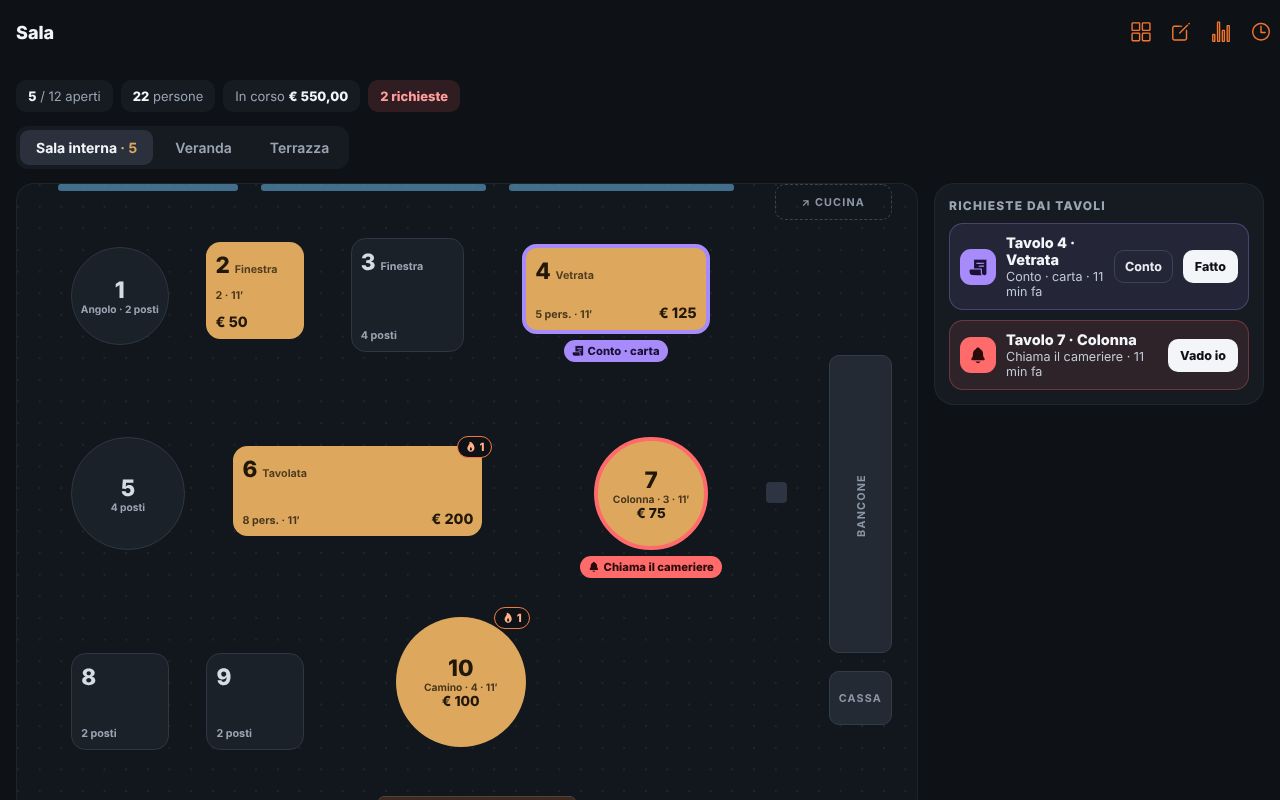
Your dining room at a glance

Draw the floor plan with your tables and areas. See who is seated, for how long, how much they ordered and who is calling you.

Floor plan with open tables and guest requests

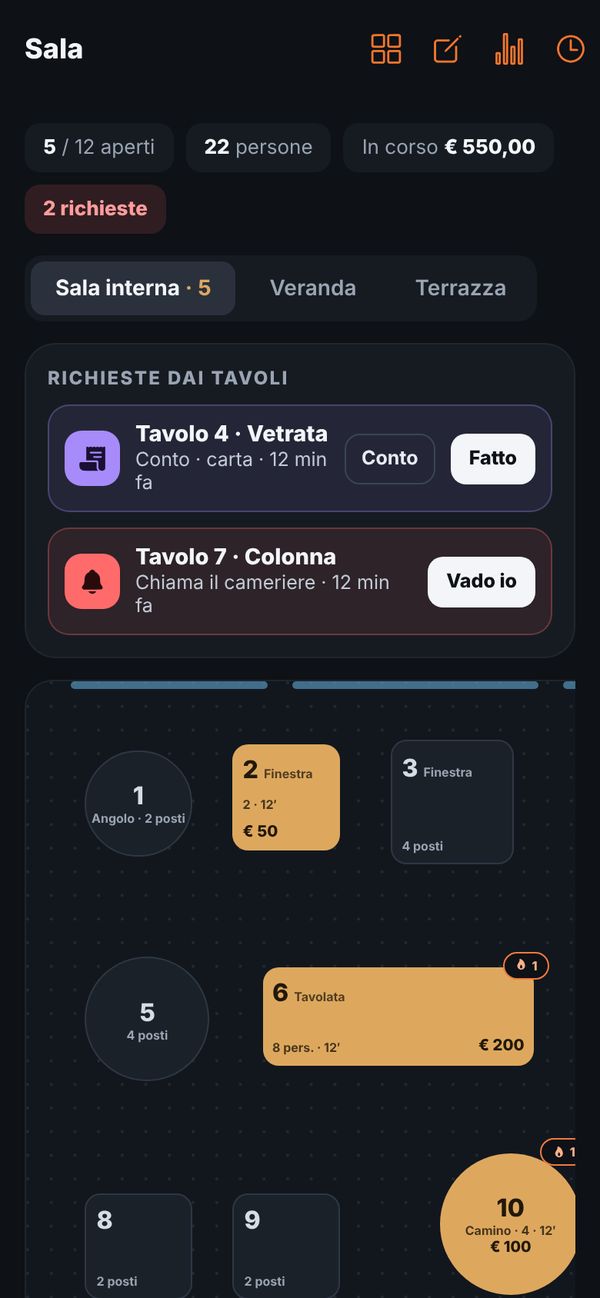
The waiter's pocket assistant

Table requests, bills and orders from the phone too, while you move between tables.

Floor view on the waiter's phone

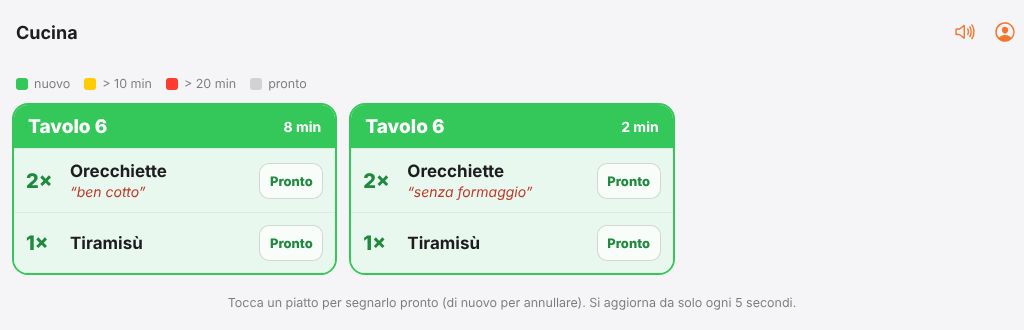
Kitchen: every ticket, as soon as it's sent

Dishes to prepare by table, with the guest's notes (“well done”, “no cheese”) and a colour that warns when waiting gets long. One tap and the dish is ready.

Kitchen screen with tickets by table

“I'll take the order for table 7”

Guest doesn't want to use their phone? The waiter opens the table, picks the dishes on their own phone, with photos alongside, and sends everything to the kitchen. Same bill, same ticket.

À la carte or all you can eat

Choose how you work: à la carte with a cover charge per person, or all you can eat with a fixed price, included dishes and limits per round. The table PIN means only seated guests can order.

À la carteAll you can eatMenu only

The bill updates itself: covers, extras, drinks, split-bill requests. Close the table with one tap and find it in the history.

StatisticsBest-selling dishes, covers, takings.
NotificationsTell guests about the daily special.
Table PINOnly guests seated at the table can order.
5 languagesAutomatic dish translations.
Up and running fast

Sign up and the guide walks you through.

No training, no technician to call. Menuvola shows you where to tap, one step at a time.

GUIDED TOUR

Shows you where to tap

In the first days the “Today” page opens a guide: import the menu, choose a style, create photos and 3D dishes, print the QR codes.

LOGO AND QR

Ready to print

Upload your logo, Menuvola trims the empty borders and creates QR table cards for every table, already laid out as a PDF.

ANYWHERE

Phone, tablet, computer

The same dashboard on the tablet in the dining room, the waiter's phone and the office computer. The side menu shrinks to icons when space is tight.

TodayFloorKitchenMenu
Pricing

Start free. Upgrade to Pro whenever you like.

The whole app is included in the free plan too. Pro adds more 3D dishes and more photos.

START

€0 forever

Everything you need to get started.

  • Full app: menu, table ordering, floor, kitchen
  • Import your paper menu with AI
  • Menu in 5 languages and augmented reality
  • Your style: templates, AI styles and backgrounds
  • 15 illustrative photos per month
  • 3 3D dishes created with AI
  • Statistics and guest notifications
Create your restaurant
RECOMMENDED

PRO

€5 per month

To show your whole menu in 3D.

  • Everything in Start
  • 30 3D dishes created with AI
  • 100 illustrative photos per month
  • Secure payment by card, Apple Pay, Google Pay
  • Cancel anytime, no commitment
Start free, then go Pro

Need something tailored (more 3D dishes, kitchen printers, several venues)? Write to me.

Already on Menuvola

See a live menu.

FAQ

Everything you want to know.

Do my guests need to download an app?

No. They scan the QR code on the table and the menu opens in their phone's browser, with augmented reality where the phone supports it. The Menuvola app is only for you and your staff.

How long does it take to put the menu online?

With photo import, about one minute per page plus the time to check. AI creates missing photos in 10–20 seconds each. In one afternoon your menu is online, in 5 languages.

Can I give the menu my restaurant's colours and style?

Yes. Choose one of 8 ready-made styles or let AI create three proposals from your logo, photos of your venue and a description. You can use photo backgrounds (ocean, space, olive grove, vineyard and more), create one with AI or upload your own photo. The style applies to both the QR menu and the app.

Does it work if I don't do all you can eat?

Yes. Table ordering works à la carte, with a cover charge per person, or in all you can eat mode with limits per round. If a guest prefers not to use their phone, the waiter takes the order on their own phone with “I'll take the order for the table” and sends it to the kitchen.

Are AI-created photos “real”?

They are realistic images created by artificial intelligence, useful until you have photos of your own dishes. To be fair to guests, they appear on the menu labelled “Illustrative photo”. When you upload the real photo, it replaces them.

How do I create a 3D dish?

Take up to 4 photos of the real dish with your tablet or phone, enter its size and press “Generate”. In a few minutes AI creates the model, Menuvola optimises it for the web and you check it in preview before publishing.

What's the difference between Start and Pro?

The app is complete in both. Start (free) includes 3 3D dishes and 15 illustrative photos per month; Pro (€5 per month) goes up to 30 3D dishes and 100 photos per month. You can upgrade from the app and cancel anytime: 3D dishes already created stay on the menu.

Do I need special hardware?

No: floor and kitchen work on any tablet, phone or computer with a browser. On request we also set up printers for tickets and bills.

Is my data and my guests' data safe?

Restaurant guests don't need to register: the table PIN is all they need to order. Data is stored on servers in Italy, passwords are encrypted and payments go through Stripe: Menuvola never sees card details. Everything is in the privacy policy. Read the privacy policy

Your menu in 3D,
starting tonight.

Create your restaurant for free, snap your menu and watch AI do the rest. If you prefer, I'll show you myself.