Menuvola › Floor, orders and kitchen

Orders from the table, floor and kitchen in sync.

Guests order from their own phone, the kitchen receives the ticket in real time, the floor sees tables, requests and bills. On tablet, phone or computer, with no dedicated hardware.

Free to start · no credit card · ready in a minute
How it works
  1. 1Choose the service

    À la carte or all you can eat, cover charge and rates.

  2. 2Draw the floor

    Tables and areas, then print the QR codes.

  3. 3Open the table

    The guest gets the PIN and orders.

  4. 4Close the bill

    History and statistics update by themselves.

Orders from the table, no waiting

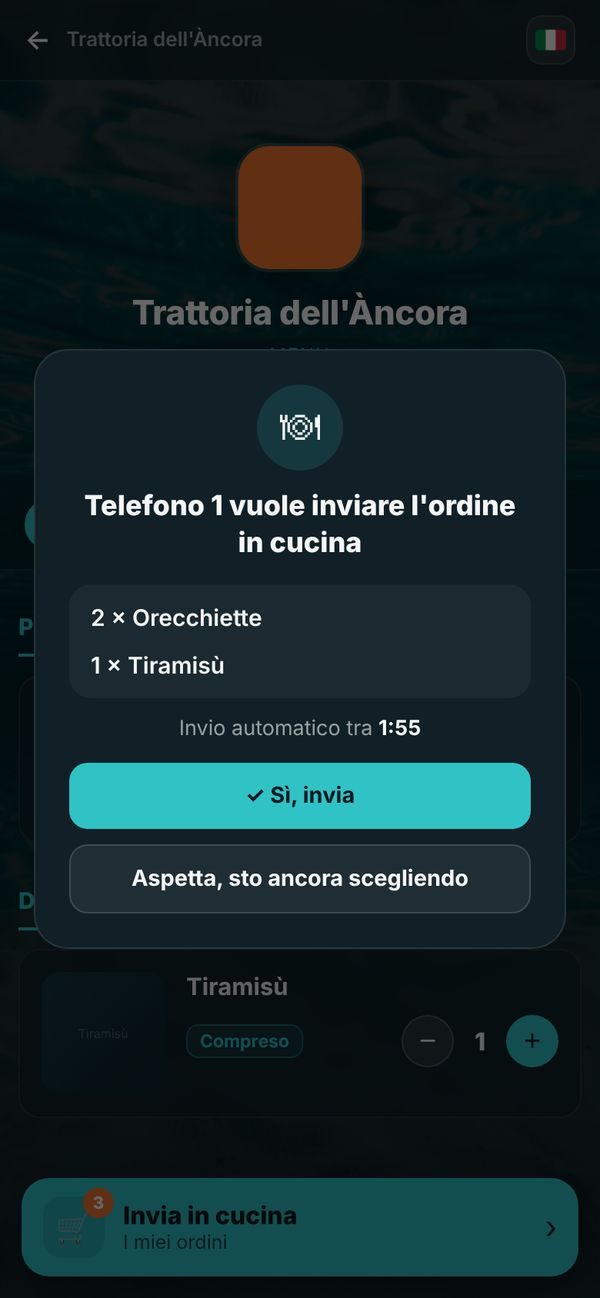
Everyone adds dishes from their phone to a shared cart; when the table confirms, the order goes to the kitchen. Only seated guests can order: the waiter gives the 4-digit PIN when opening the table.

  • Shared cart with dish photos
  • Notes for the kitchen: “well done”, “no onion”
  • “Call the waiter” and “Ask for the bill” in one tap
Orders from the table, no waiting

Floor management at a glance

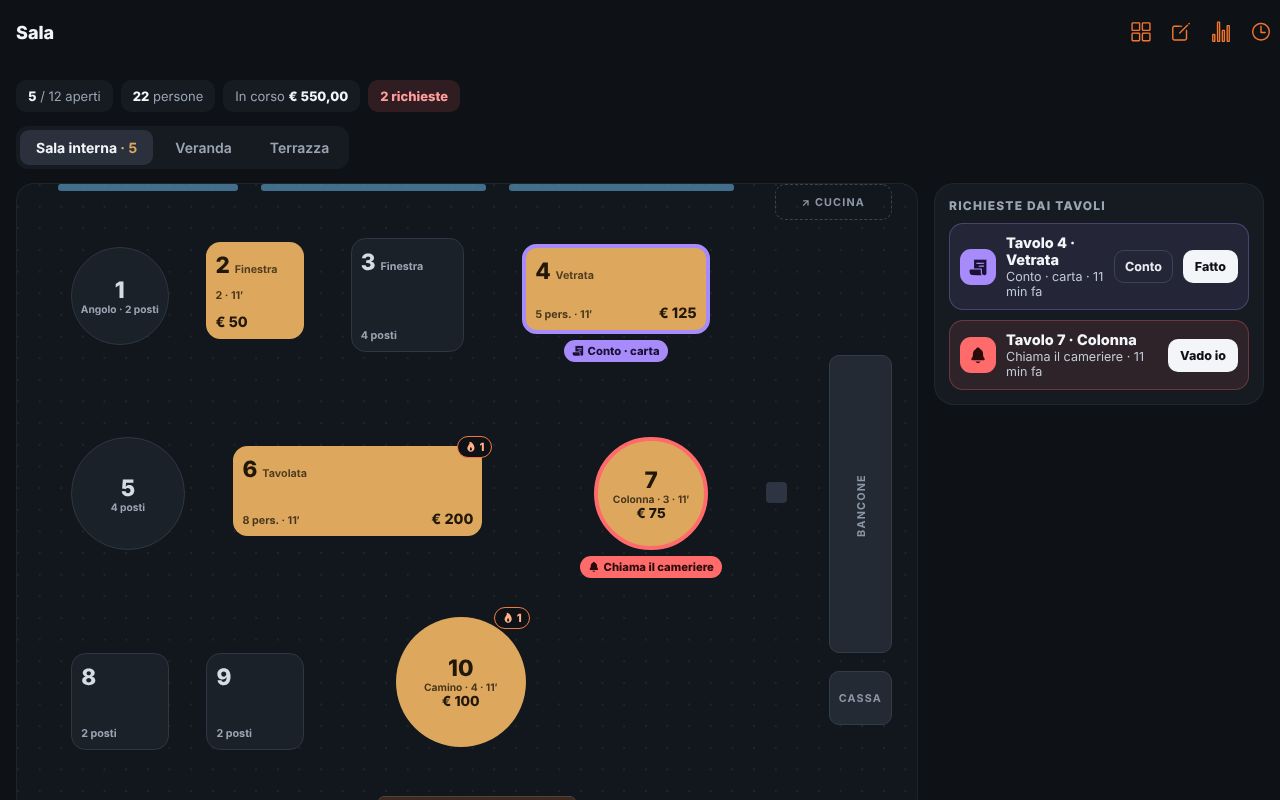
Draw the floor plan with tables and areas. See who is seated, for how long, how much they ordered and who is calling. Open, move and close tables; if the guest prefers, the waiter orders from their own phone.

  • Floor plan with areas and tables
  • “I’ll take the order” for guests who don’t use their phone
  • Split bills, cover charge, extras and drinks
Floor management at a glance

Kitchen and all you can eat

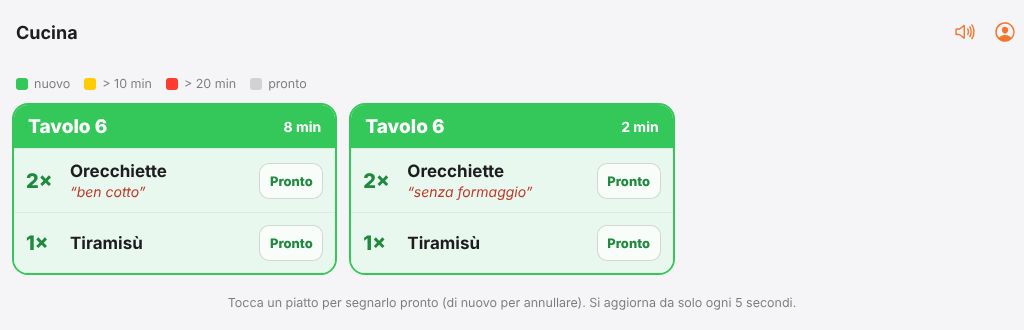
Tickets arrive by table with notes and a colour that warns when the wait gets long. For all you can eat you set a per-person price, included dishes, limits per round and the wait between rounds.

  • Real-time tickets with sound alert
  • All you can eat with limits per round
  • Staff with PIN for Floor and Kitchen, statistics and bill history
Kitchen and all you can eat
Frequently asked questions
Do I need a till or special hardware?

No: Floor and Kitchen run on tablets, phones and computers in the browser, or with the Menuvola app. Kitchen and till printers are coming soon.

How do you stop people who aren’t at the table from ordering?

When opening the table the waiter gives a 4-digit PIN: only those who enter it can order, at most one phone per person.

What if the guest doesn’t want to use their phone?

The waiter takes the order from their own phone with “I’ll take the order for the table”, with dish photos, and sends it to the kitchen.

Is table ordering included in the free plan?

Yes: orders, Floor, Kitchen and bills are included in the Start plan too.

Your menu, ready tonight.

Photograph your paper menu: in a minute it is online, in your style, with 3D dishes and table ordering.